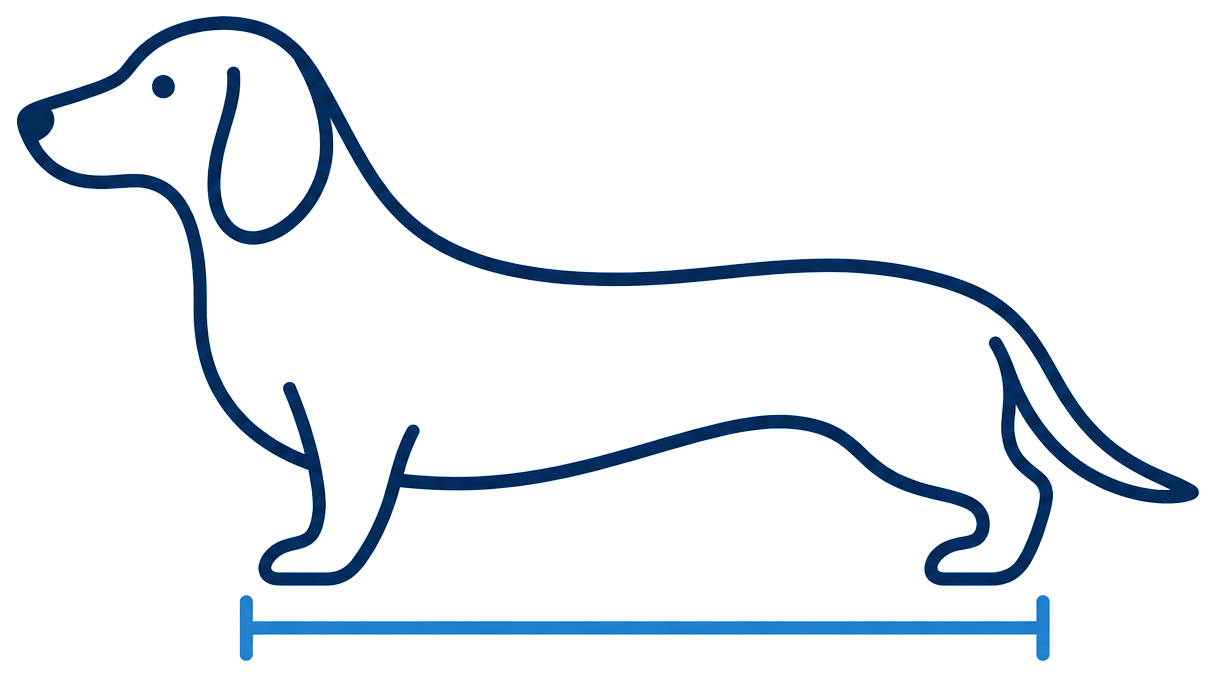
Generate Dog Measurement Estimates from Your Pet's Picture.
What we need: A clear side profile photo.Include the whole dog, with their head naturally upright and all four paper corners visible.
Find a sheet of paper.
Use A4 or US Letter. It can be coloured, written on, or something from your letterbox—as long as it’s the right size.
Keep it close beside your dog.
Portrait or landscape both work. Hold the sheet facing the camera and as flat as possible, at roughly the same distance from the camera as your dog. It doesn’t need to touch them. Show all four corners.
Take a photo directly from the side.
Include the nose, tail and paws. Your dog should stand naturally, looking to the side rather than at the camera.
Dog lying down? A photo from directly above can give a rough length estimate. Open “See more examples” to see how.
Please retake your photo if it looks like this
Head loweredA lowered head changes the height measurement. Keep the head naturally upright.Head turned toward the cameraA turned head can distort the measurements even when the body is side-on. Wait for your dog to look straight ahead in profile.Paper corner coveredAll four corners must be visible to calibrate the photo. Keep hands away from the corners.
Upload pet picture
Your original picture is not saved separately. The photo you approve is retained inside your report. Please refer to our for more information about how your information is stored.
Photo on your phone?
Scan to open MeasureMyPet and upload it there. Continue on your phone; the photo won’t appear on this computer.
No picture yet?
Choose a photo, reveal the dog and paper, then mark the points yourself and generate a sample PDF. No upload needed.
These AI-generated practice images illustrate the setup, not validated physical measurements. Each uses a flat A4 sheet on the near side of a standing dog. Sample reports are labelled and retained under the same private-report notice.
Practice mode: this is a generated sample photo, not your pet. Reveal the dog and paper and place every point yourself. The report is for demonstration only. Choose your own photo above to leave practice mode.
Your photo is ready. Now tell us which standardized paper size appears in it and how the paper was positioned.
Use a standing photo if you can: lying-down posture can make the length estimate less reliable. This option gives rough nose-to-tail-base length only, not standing or elbow height. Your report will flag the lying-down posture for your agent. The dog’s thickness above the paper can make the length appear larger; this method has not been validated against physical dog measurements.
2. Reveal your dog and the paper
Keep your dog’s outline and all four paper corners visible. Leave faces, addresses and other private details blurred.
Example: what to revealKeep the whole dog and all four paper corners clear, as shown here. Practise on your copy below; this example does not make edits for you.
Upload a photo first.
Keyboard: focus the photo, use arrow keys to move the brush, then press Space to apply it. Hold Shift with an arrow for larger moves. You can also tap instead of dragging.
Choose what your brush does
Use a larger brush for the body and a smaller brush around the edges.
Brush over your dog and the paper to make them clear.
Check the photo before continuing. We save this approved version with your report; the original upload is not separately sent or stored. Blurring helps hide details but does not guarantee anonymity.
3. Mark the four paper corners
Hover to magnify a corner, or touch and drag to position it, then release to mark it. Tap the four paper corners in any order. Start anywhere—short edge or long edge. The tool connects the corners and estimates the paper orientation automatically. Keep the paper flat and facing the camera.
Example: paper corner placementMark the same four corners on your copy below, in any order. The numbers identify the corners; you do not need to follow their order. Your own clicks set the photo’s scale.
Corner 1 of 4: choose any paper corner
Keyboard: focus the photo, move the crosshair with arrow keys, and press Enter to place a point. Hold Shift for larger moves. Use Undo to correct a point.
4. Mark the dog
Follow the instruction bar directly above your photo. Made an error? Click Undo last point, or choose a marked point to redo.
Example: place the six dots like thisA: 1 nose tip, 2 root of tail. 3 and 5: front and rear paw contact with the floor, using the side nearest the camera. 4: backward-projecting elbow. 6: highest head or ear point. Match the numbered positions on your copy below. The lines explain the measurements; you only place the dots. Different clicks produce different estimates, and unsuitable points may be rejected.
Point 1 of 6: Nose tip
Keyboard: focus the photo, move the crosshair with arrow keys, and press Enter to place a point. Hold Shift for larger moves. Use Undo to correct a point.
A pointsB pointsD points
5. Get your report
Download or print your PDF. No name or email address needed.
We keep a private, dated copy of the report, including the photo you reviewed, marked measurements, and any optional details above. This helps us investigate problems and review disputed estimates.
Required to create your report.
Create the report, then use Download PDF report below to save it to your device.
6. Your measurement report
These measurements are photo-based estimates only. You can download the PDF and share it with your pet travel agent for professional review.
Measurements are calculated geometrically from the paper reference and the points you mark, not estimated by an AI model interpreting your dog’s appearance. The tool cannot reliably verify that the photo follows the photography instructions. Confirm estimates by physically measuring your dog before choosing a travel crate.
Standing photos provide A (nose to root/base of tail), B (ground to elbow), and D (ground to the highest point of the head or erect ears). For lying-down photos, posture affects which dimensions can be assessed. Check the measurements listed in your report and ask your pet agent to confirm them against the dog’s natural standing posture. It does not recommend, certify, or determine a travel-crate size, model, or configuration.
Traveling with a cat?
Most average-sized domestic cats generally fit a standard rigid kennel around 28 × 20.5 × 21.5 in. Larger cats, including Maine Coons, Savannahs, Himalayans, and unusually large domestic cats, may require more space. Always check that the cat can stand naturally, turn around, and lie comfortably without touching the sides or top.
Shipping another species?
Container requirements can involve much more than dimensions. Depending on the species, construction, ventilation, insulation, internal fittings and accessories, feeding and watering arrangements, flooring, barriers, and other requirements may apply. Consult a qualified pet or live-animal transport professional.
Illustration of space around your dog
This upright outline illustrates space around your dog in the photo; it is not drawn to a calibrated scale. Length and height are set independently; it does not represent a particular brand or model. A suitable real crate may have additional space in one or more dimensions.
We don’t recommend specific travel crates or brands: availability varies by country, and brand or model names can be confusing or inconsistent between markets. Ask your pet transport agent which options are available where you live. Standard travel crates generally increase in width as their length and height increase, so start with those measurements. Extremely plump dogs may need extra width; your agent can confirm there is enough room for your dog to turn comfortably. Read Transcon Pet’s guide to choosing the right pet travel crate.
The outline is illustrative, not a verified size recommendation or confirmation of fit.
MeasureMyPet
MeasureMyPet
Dog Measurement Report
Important: These measurements are photo-based estimates derived from a user-supplied image and reference paper. Accuracy can be affected by posture, camera angle, perspective, paper placement or deformation, obscured landmarks, and point selection. This report does not recommend, certify, or determine a travel-crate size, model, or configuration.
Please send this report to your pet travel agent. The measurements are intended to help your pet travel professional assess appropriate travel-crate dimensions and suitability.